Openszn
Openszn is a Mac app where product teams work with AI agents together, a portfolio project I designed and built end to end to show my product design and engineering work. Claude Code and Codex run side by side in one workspace, the prototypes they build are shared with the team, and a multiplayer canvas puts everyone's agent chats and prototypes on one board.
The problem
Product teams already prototype with Claude Code and Codex, but the work stays on one person's laptop. To share it, they host a link somewhere else, collect feedback in Slack threads and screenshots, and paste it back to the agent by hand. Nobody else can watch the agent work, pick up where it left off, or change the same prototype without overwriting someone.
The solution
Openszn brings the agents, the prototypes, and the team into one app. Each person runs Claude Code or Codex on their own subscription, on their own Mac. Their prototypes are shared with the team with versions and comments, and a multiplayer canvas lets everyone see and build on each other's agent work as it happens.
My role
I owned all of it: product direction, UX and visual design, the design system, and the engineering and architecture. The Mac app is built on Electron and React, and talks to Claude Code and Codex over the Agent Client Protocol. The Library service that holds accounts, teams, and shared prototypes runs on Cloudflare Workers, and the canvas stays in sync between teammates in real time.
One app for every agent
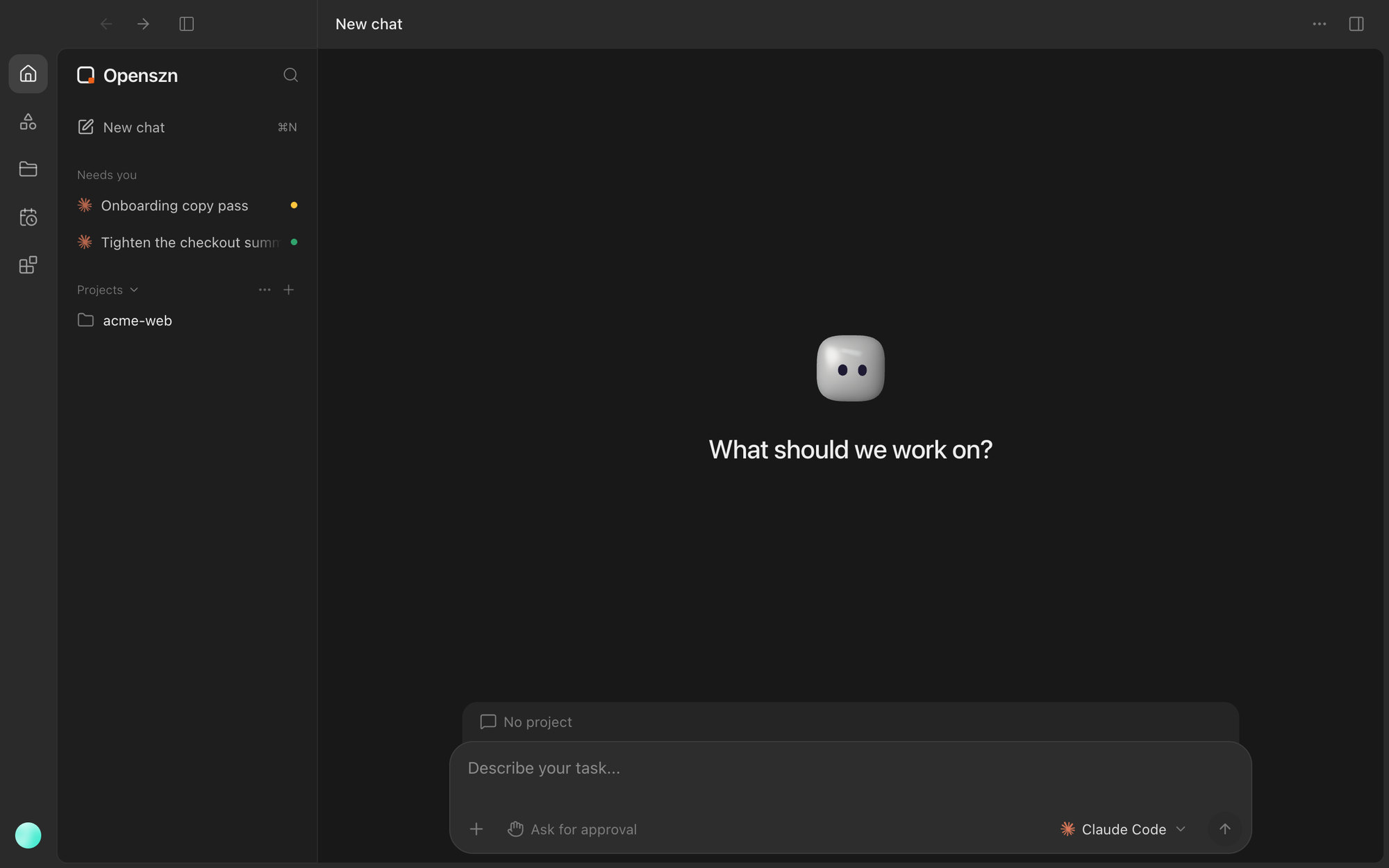
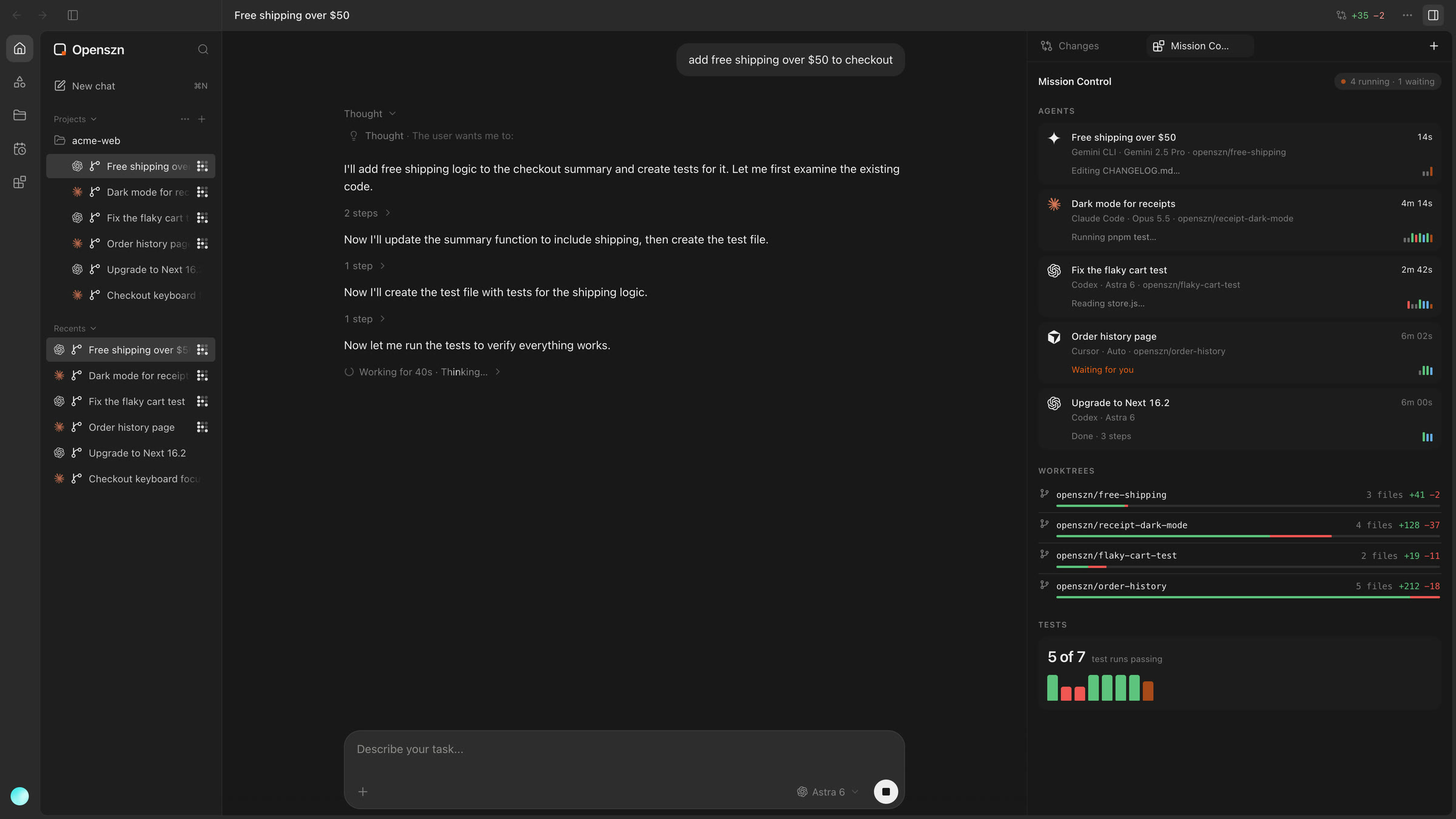
Home is where each person works with their agents. Every chat runs Claude Code or Codex on that person's own login, and typing @ hands the next message to the other agent with the conversation carried over. Agents ask before they edit files or run commands, and the chats that need an answer collect under Needs you, so nothing waits unseen.
Agent chats
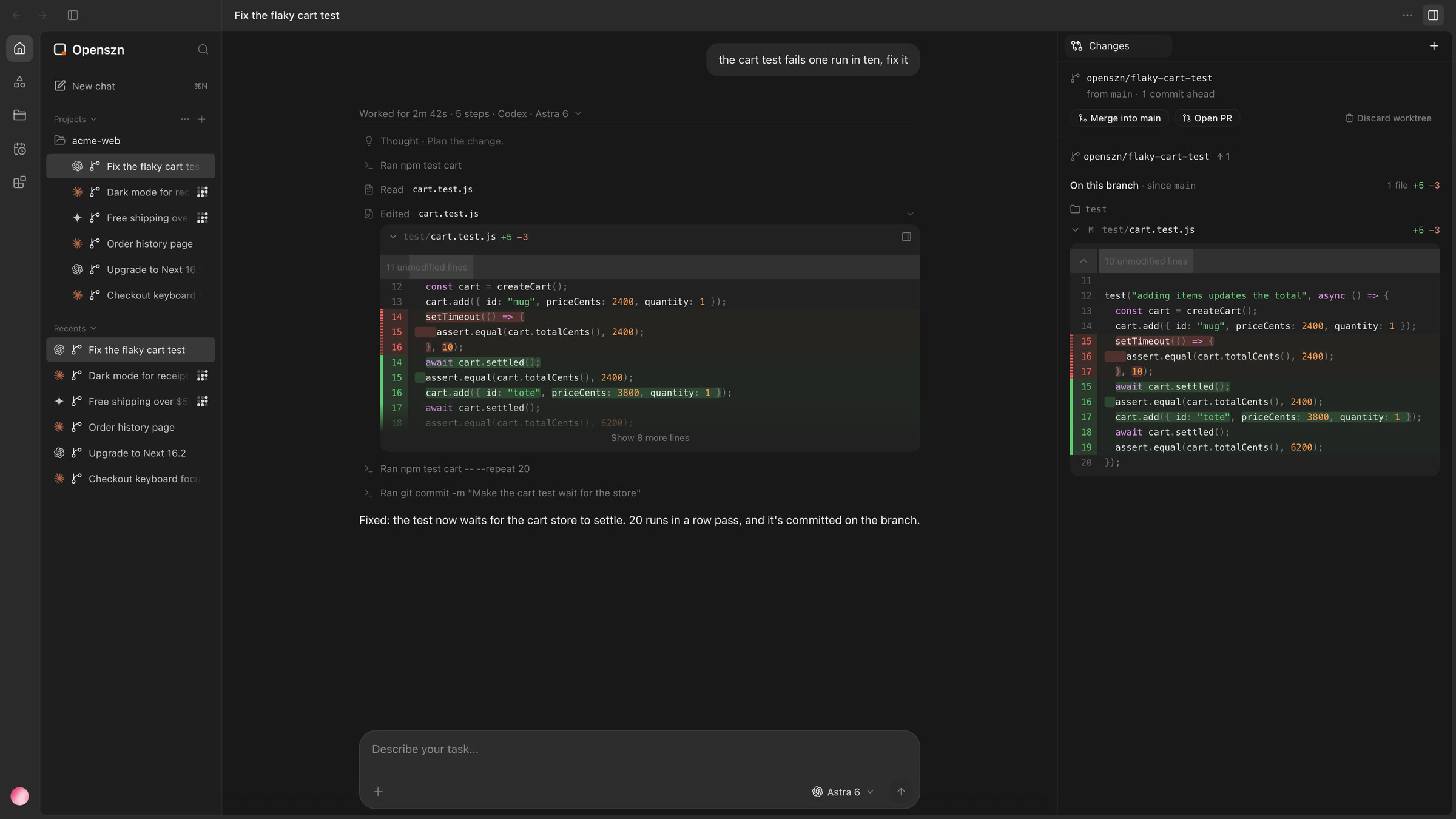
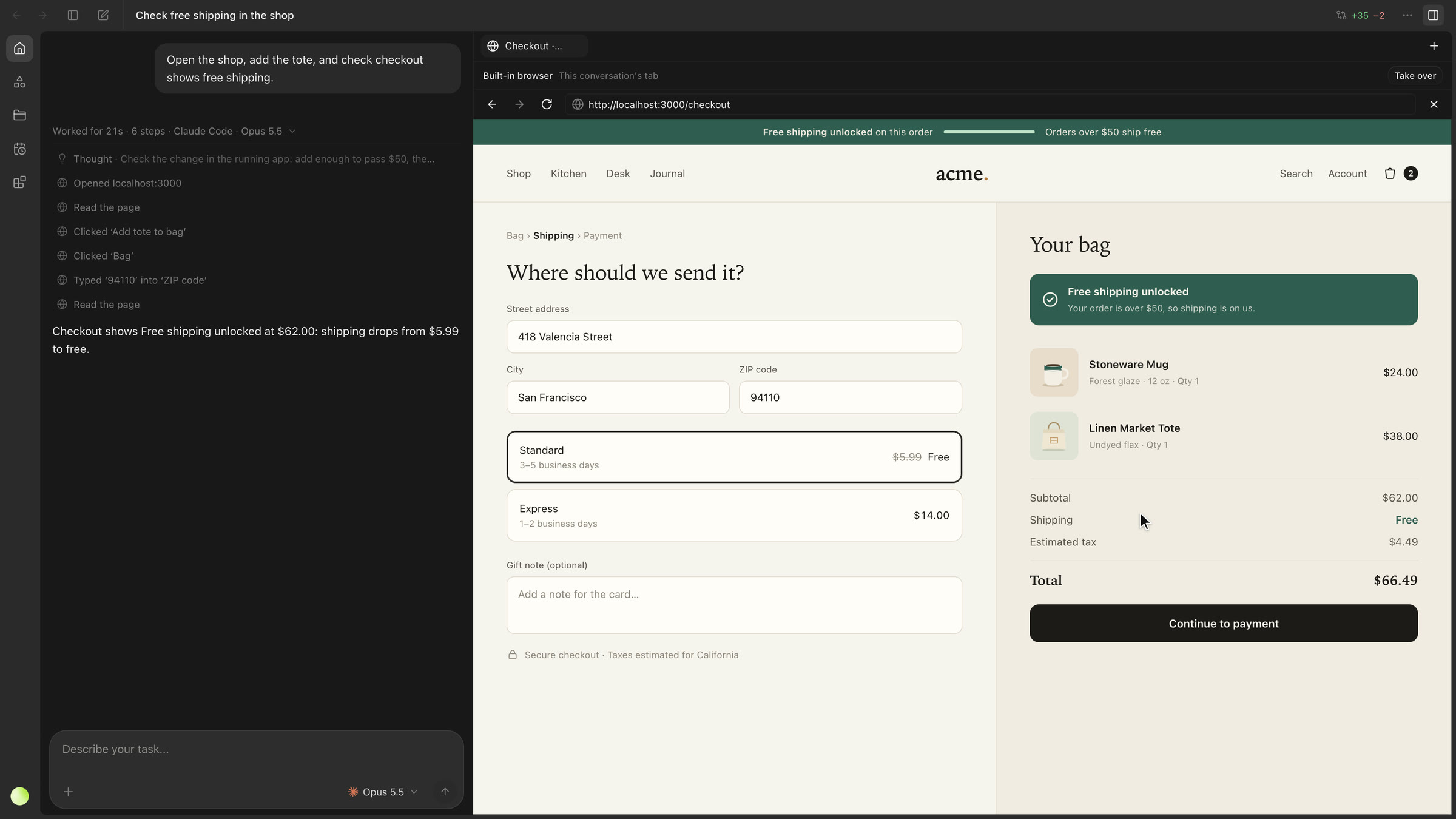
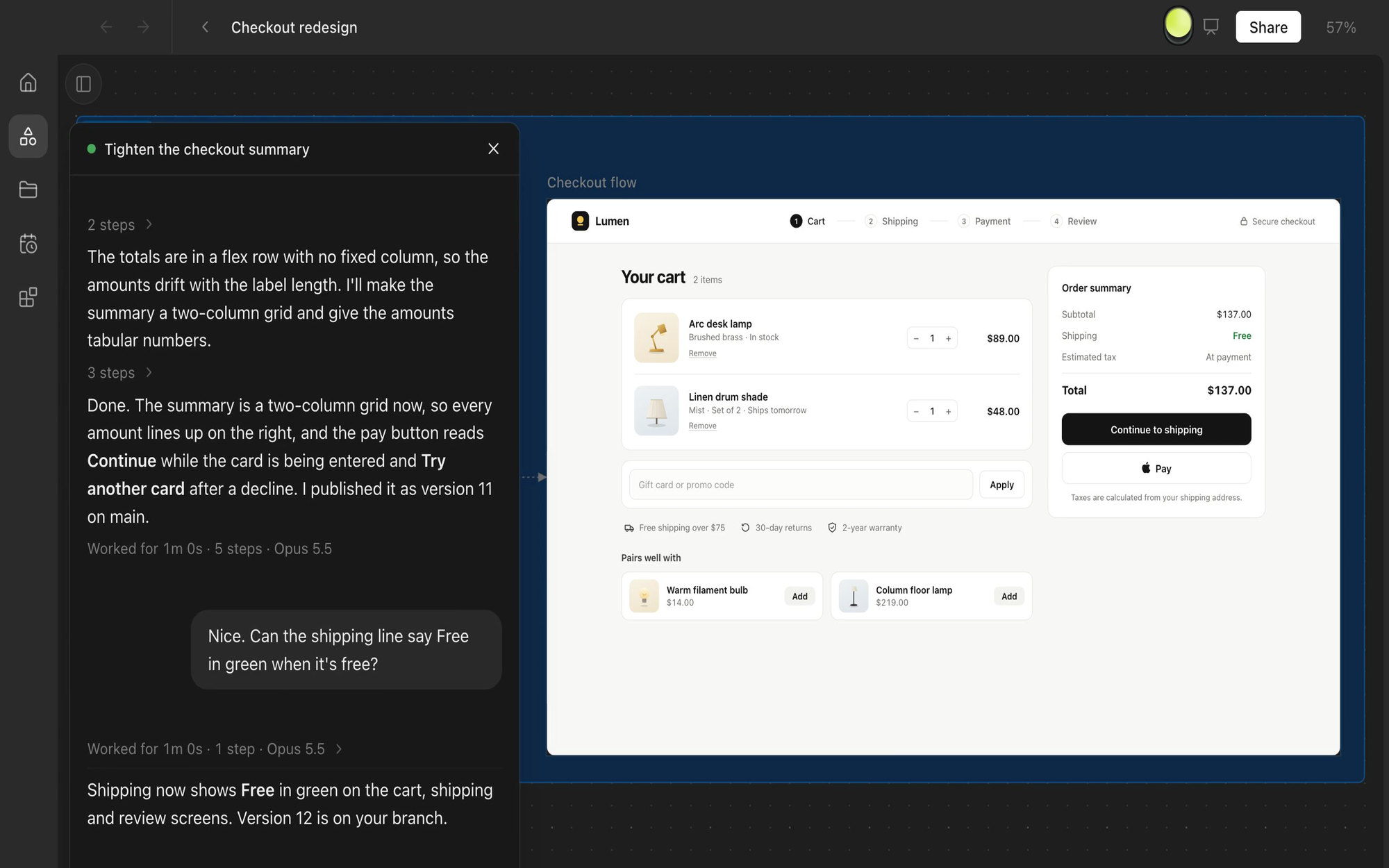
A chat shows the agent's work as it happens: its thinking, each file it reads, each command it runs, and every edit as a diff. A chat can run in its own git worktree, so several agents work on one project at once without touching each other's files, and the Changes panel shows what each branch has committed, ready to merge into main. When an agent opens the app it is building, the page runs in a built-in browser beside the chat, where you can watch it click through or take over.
Getting started
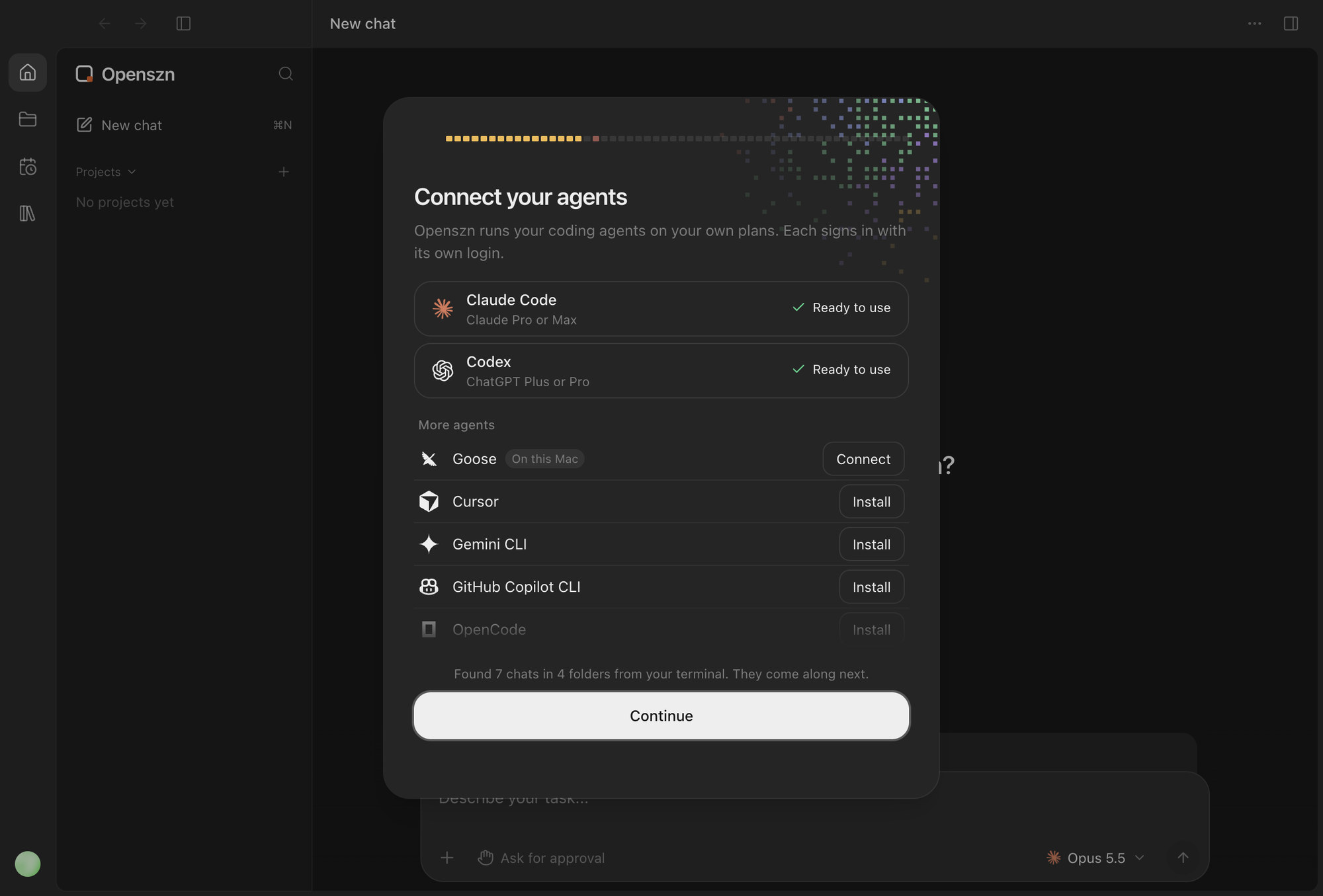
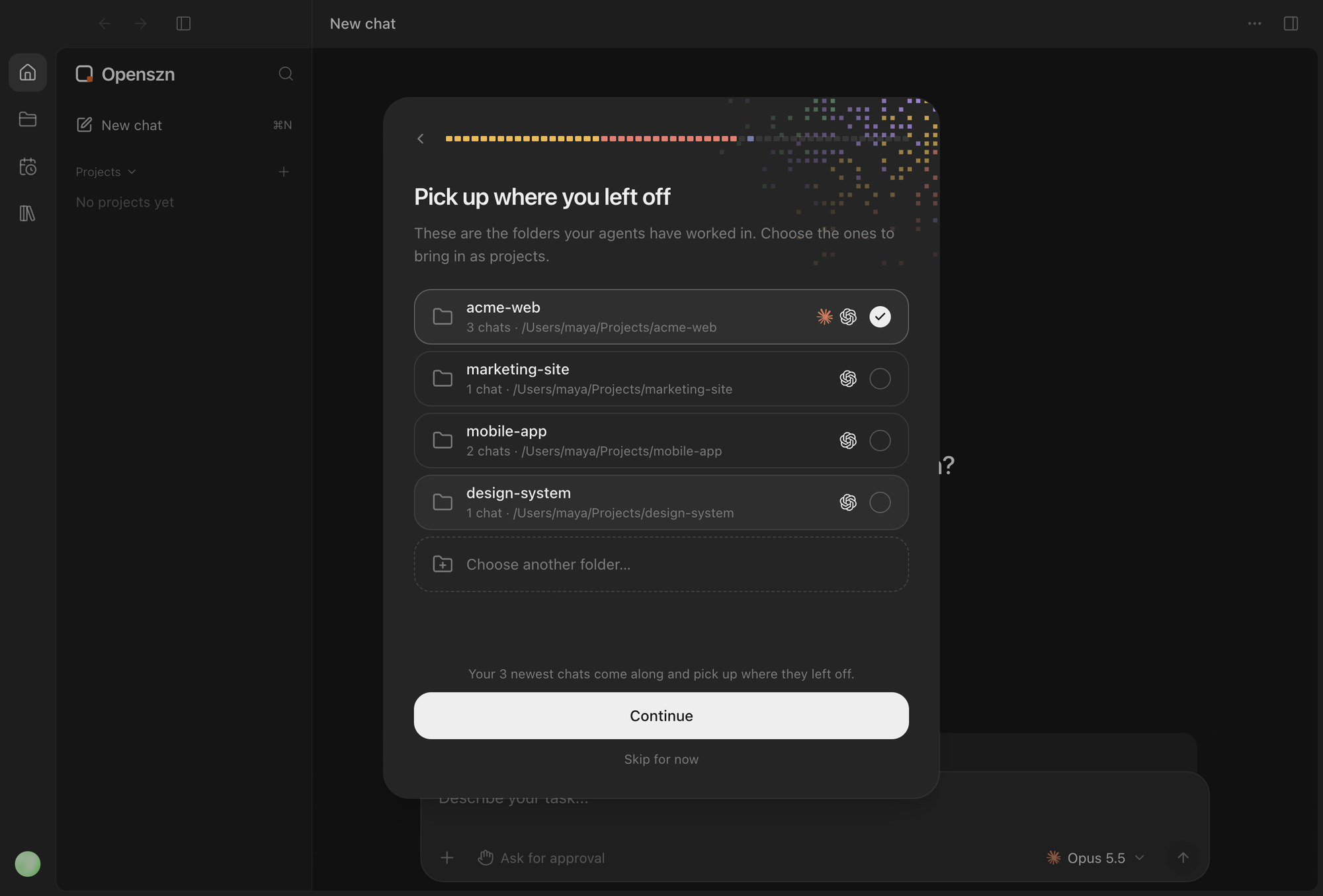
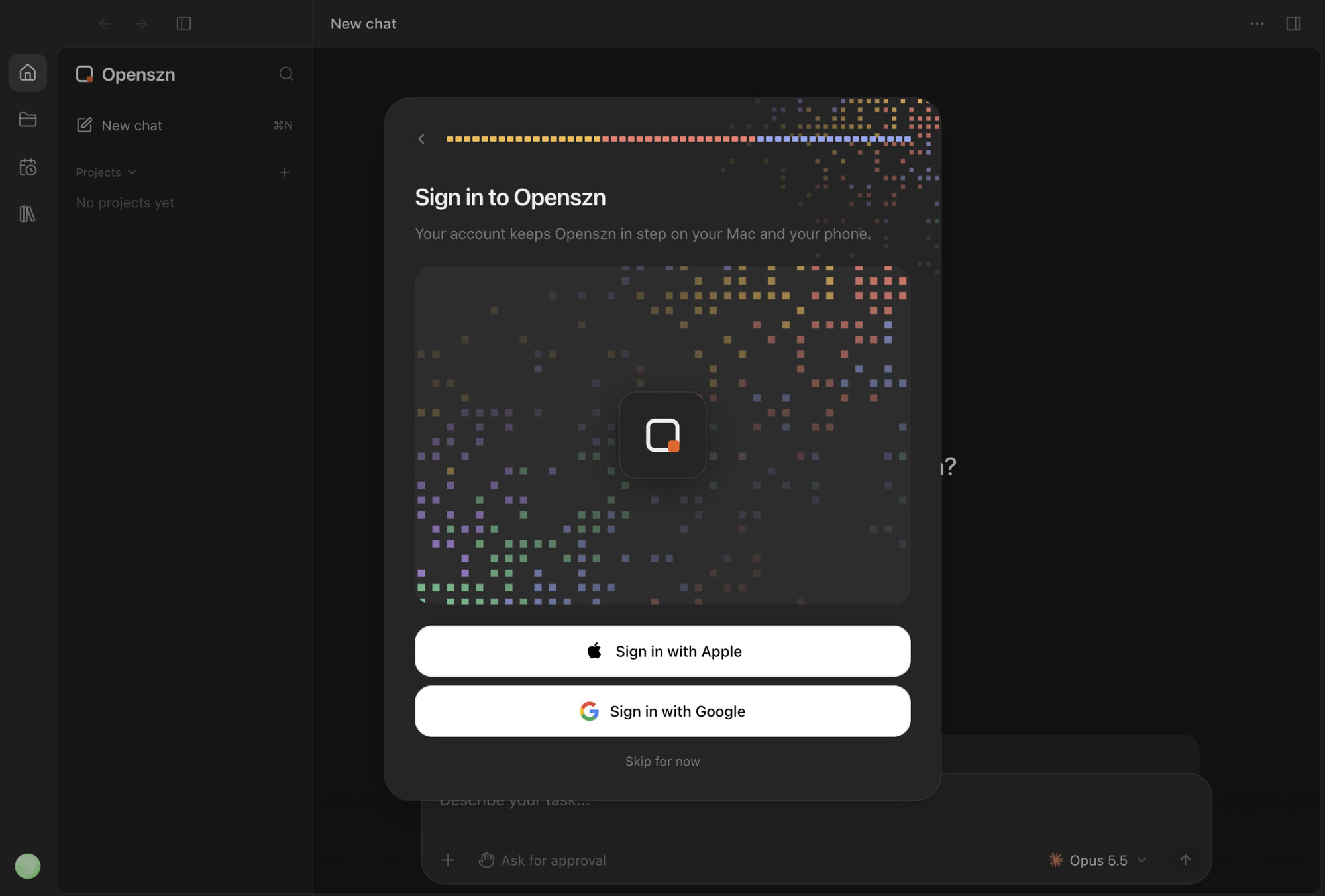
Onboarding gets a new person set up in a few steps. Openszn finds the coding agents already on the Mac and shows which ones are ready to use, then lists the folders those agents have worked in, so existing projects and their newest chats come along. Last, signing in with Apple or Google creates the account that keeps Openszn in step on the Mac and the phone.
A canvas for agent work
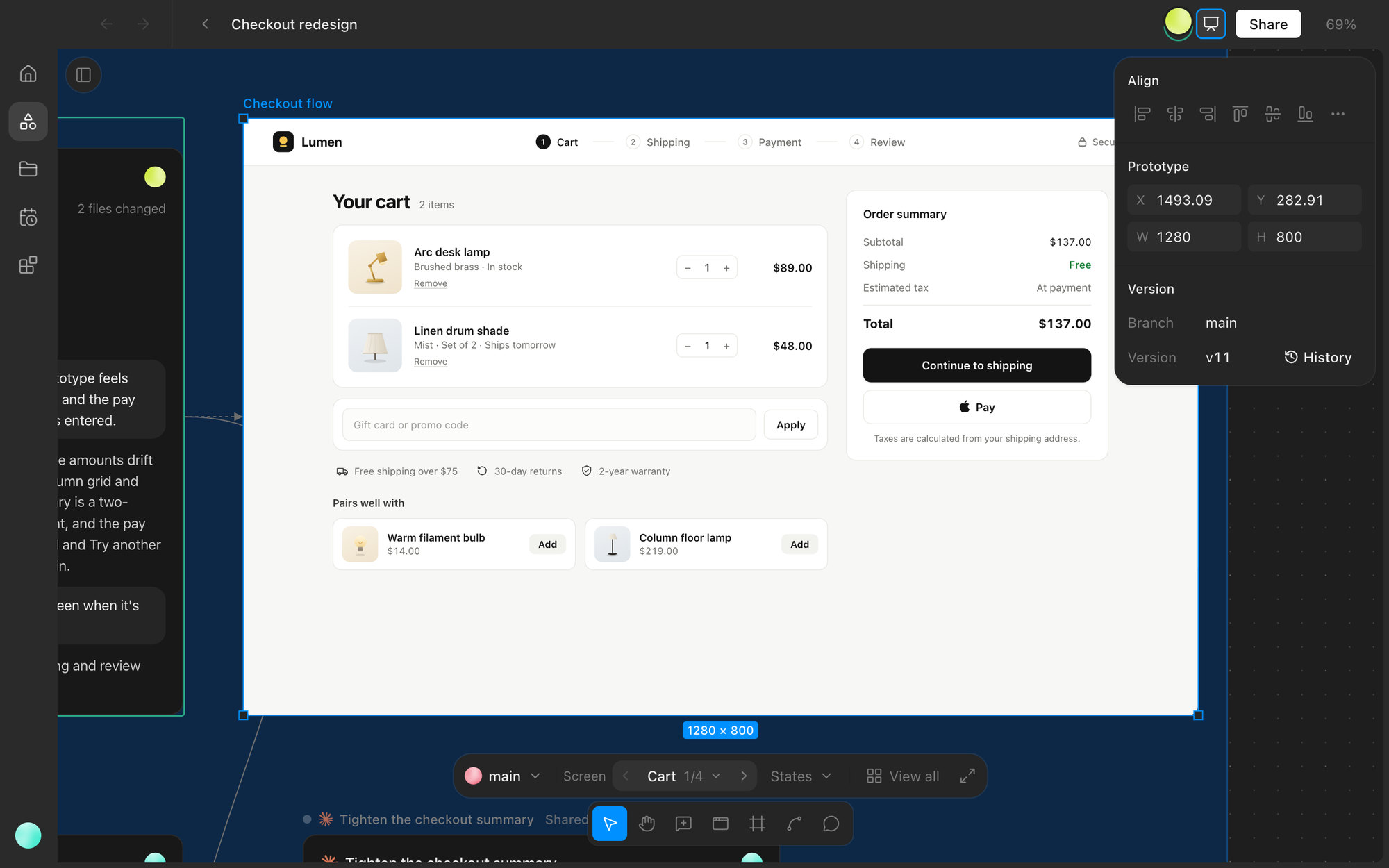
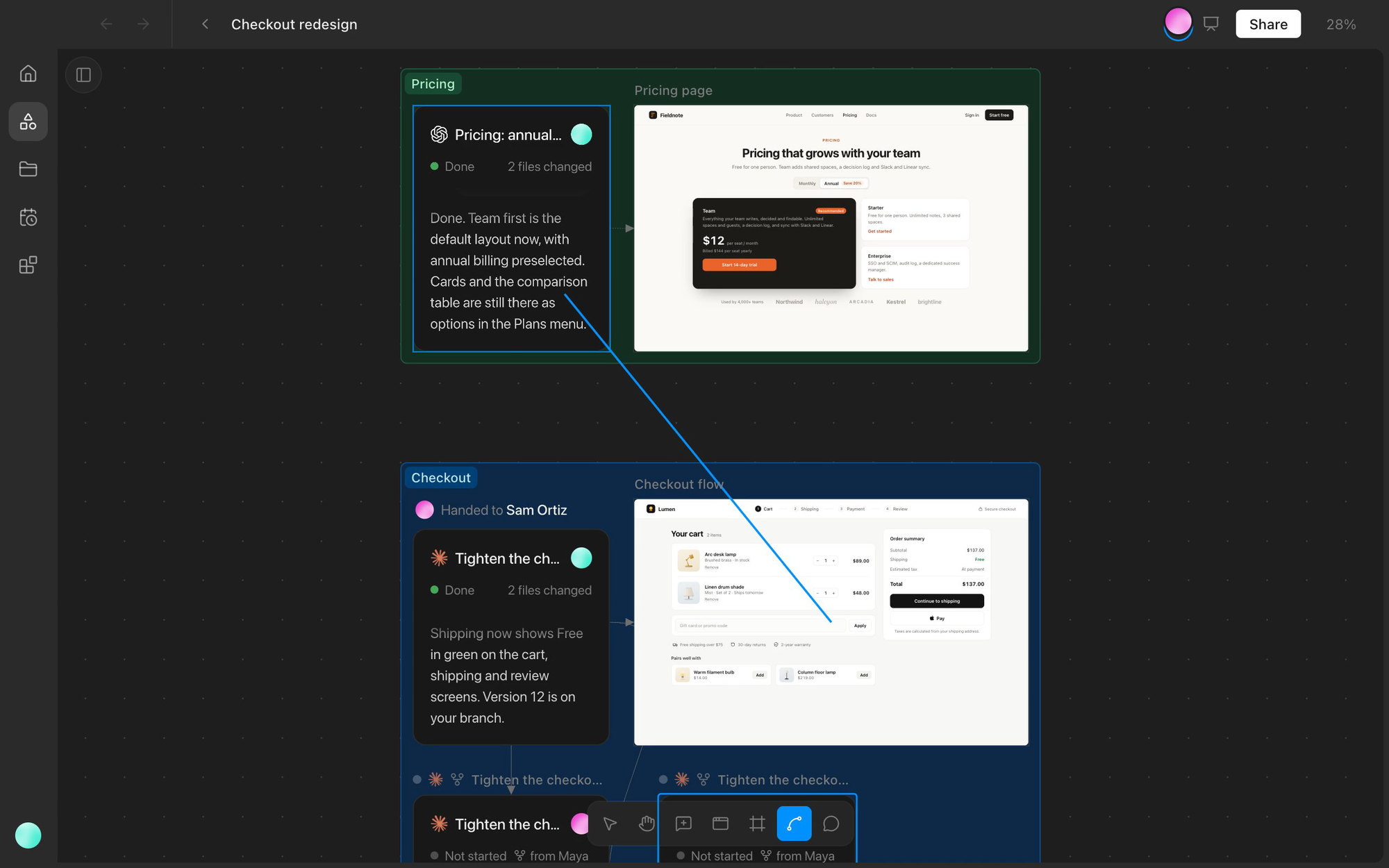
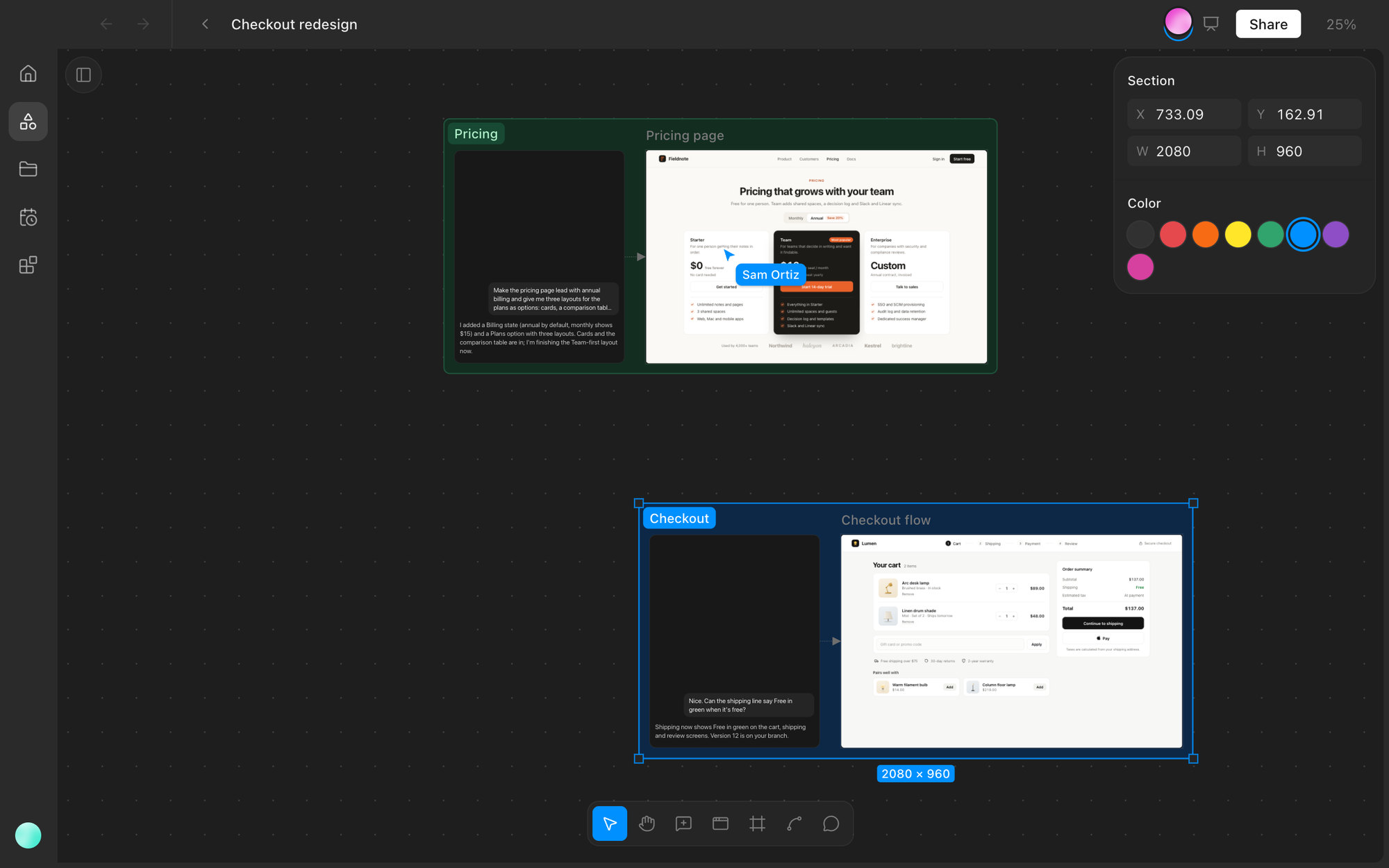
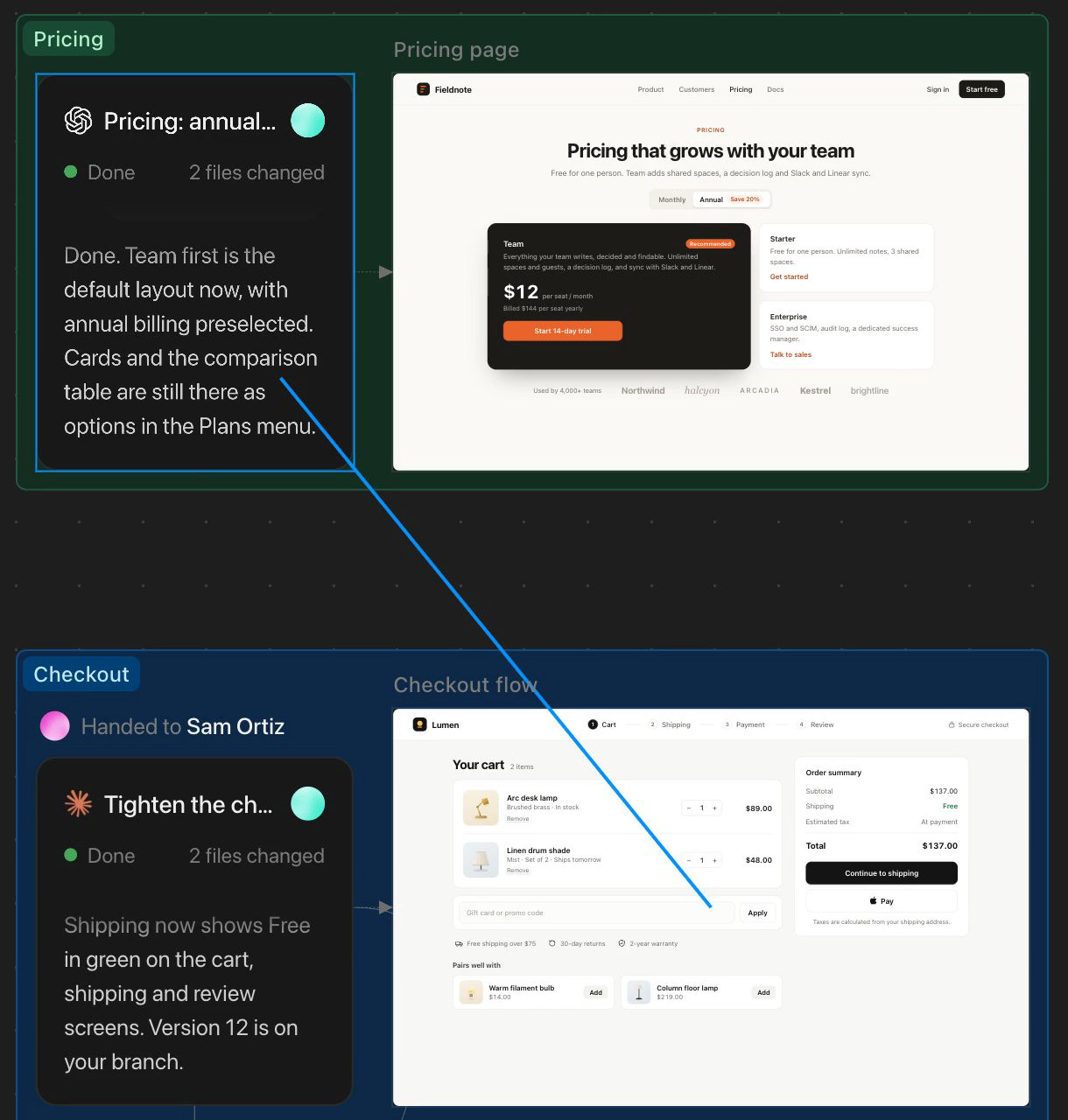
Canvas is a multiplayer board, modeled on Figma, where a team's agent work lives side by side. Every chat is a frame. The prototypes a chat builds sit next to it, linked by a connector, and update in place when the agent publishes a new version. Double-click a chat or a prototype to open it full size, and Esc returns to the same spot on the board. The controls and shortcuts match Figma, so anyone who uses Figma already knows how to get around.
Working together, live
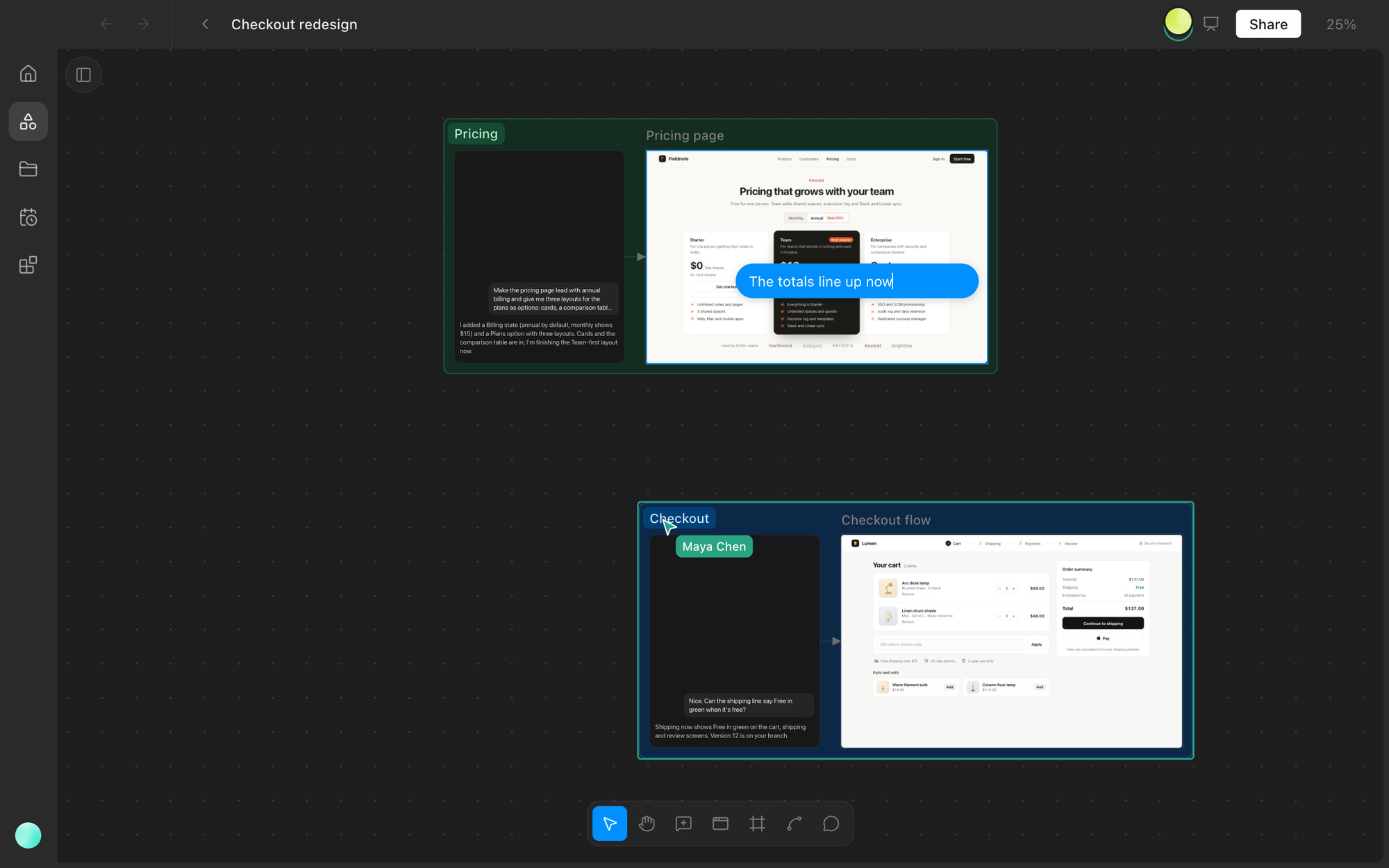
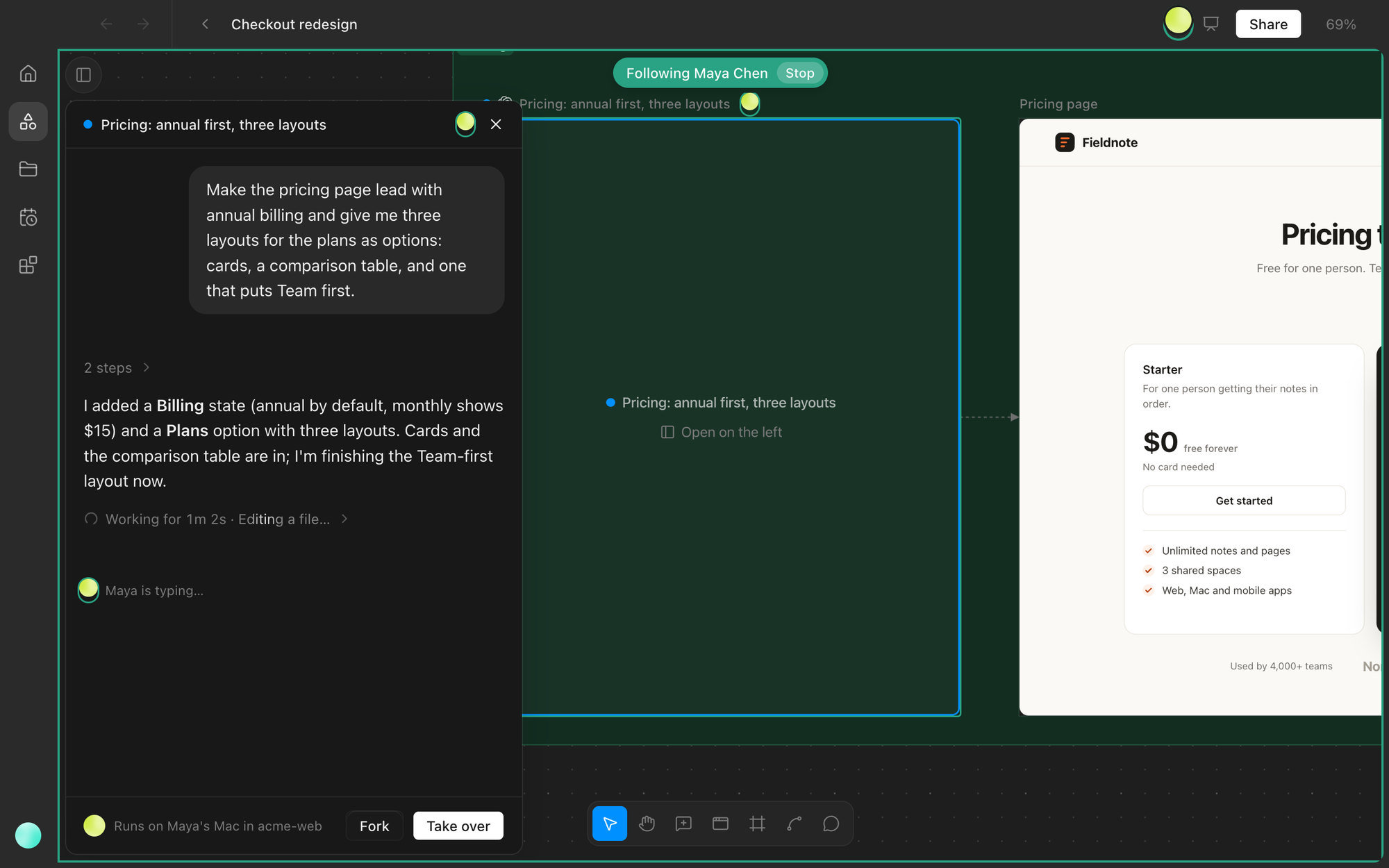
Everyone on a canvas sees each other's cursors, selections, and edits as they happen. You can follow a teammate's view, chat right at the cursor, and watch their agent stream its work in real time. Each chat runs on its owner's Mac, and only the owner types in it.
Fork, take over, connect
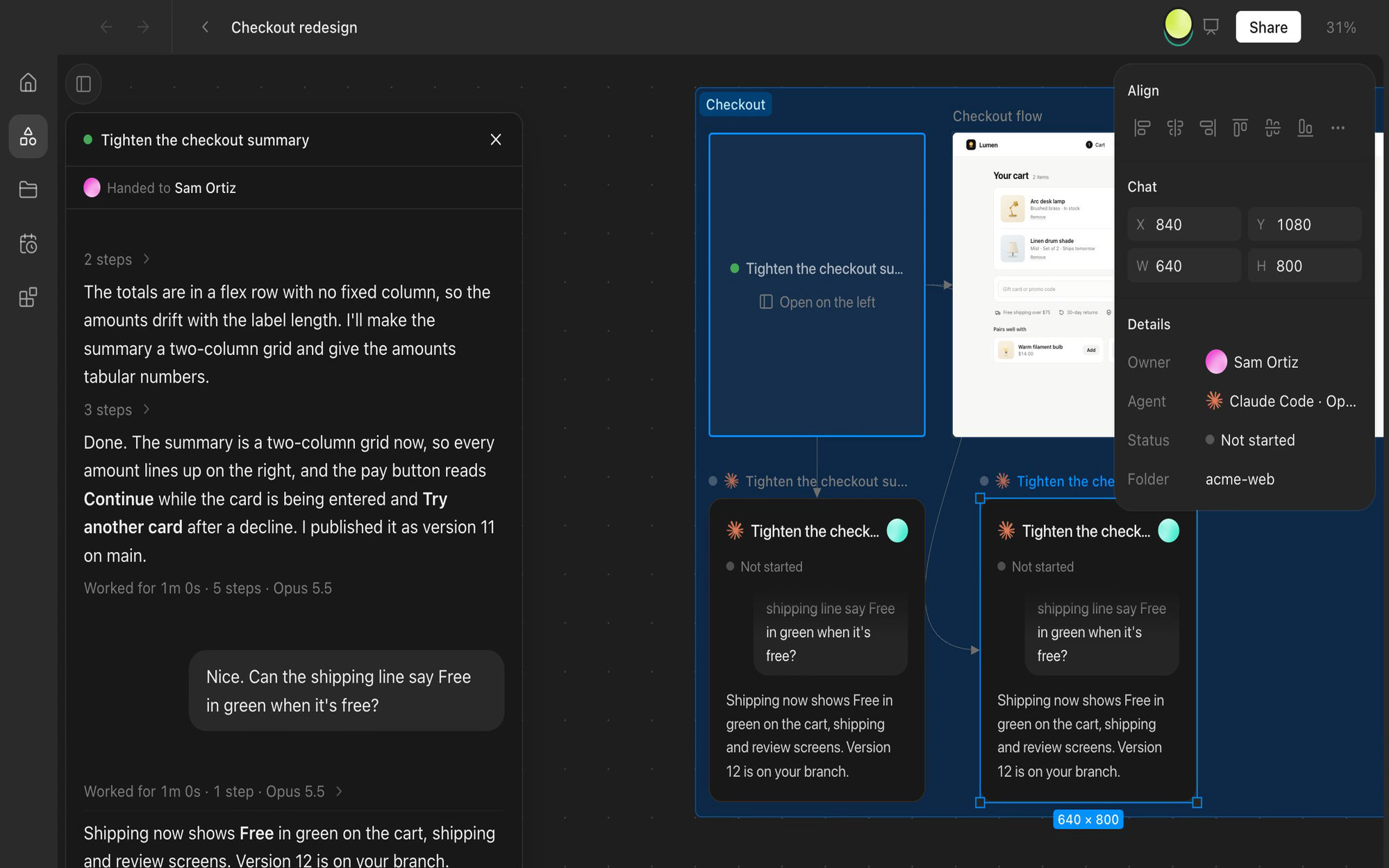
Anyone can fork a teammate's chat from any message. The fork opens as a new frame, owned by the person who forked it and running on their Mac. Take over hands the whole chat to you, and the original frame shows who it was handed to. Drawing a connector from one frame into a chat gives that agent the work as context. Comments pin to the board, to a frame, or to an element inside a prototype, and tagging the agent turns a comment into a request.
Inside the product