MCP Hub
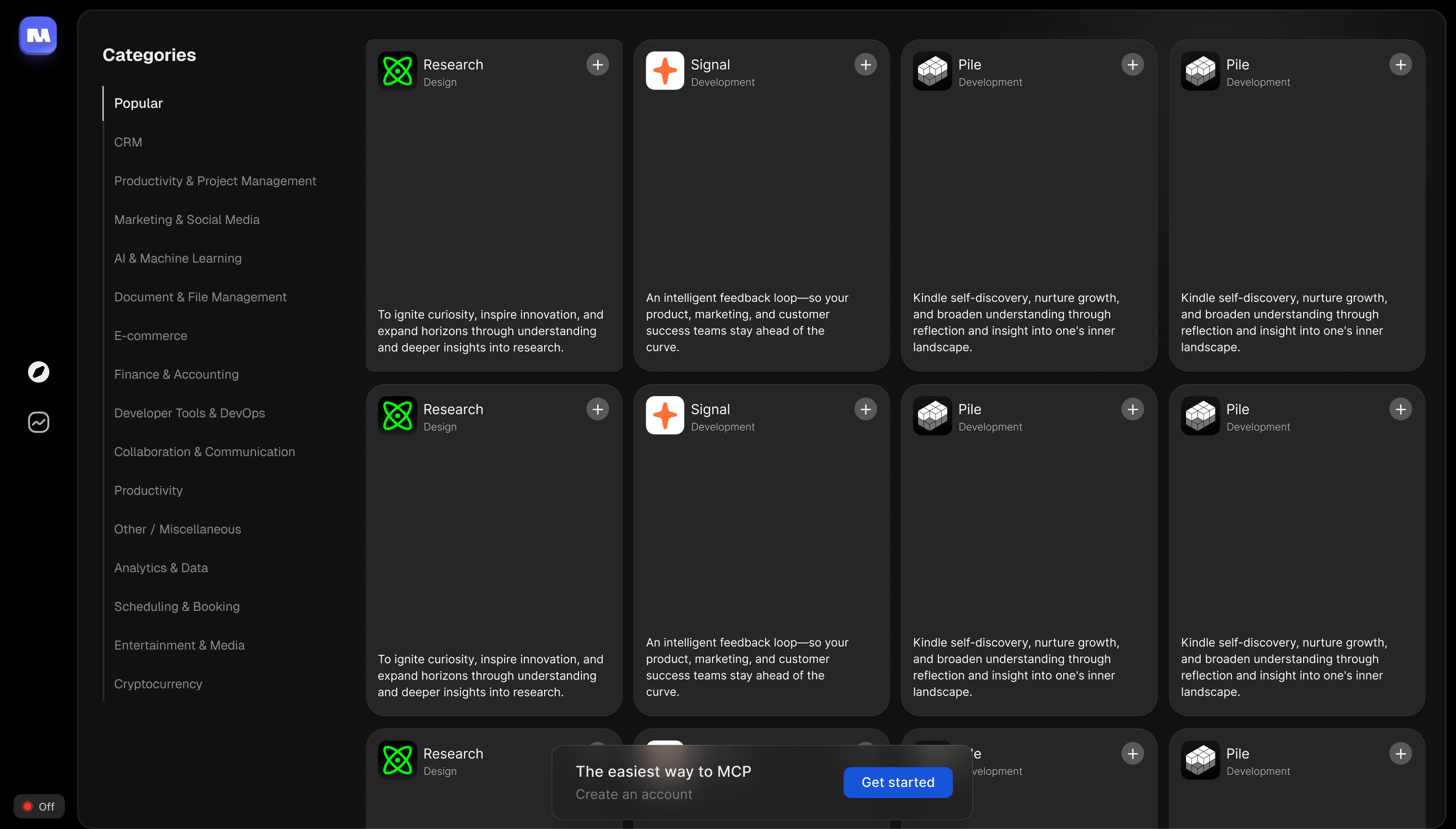
MCP Hub is an app store for MCP servers. Go from zero to your first working MCP in ten steps, and every one after is a single click. I saw MCP's potential the moment it launched and built it with a few friends to fix the thing holding it back: setup was too technical for anyone but developers.
Overview
MCP had just launched, and it was clearly the missing layer between AI and the tools people actually use. But installing one meant editing config files and living in the terminal. A few friends and I set out to make it dead simple, with a single goal: get a non-technical person to their first working MCP in ten steps.
One line to start
We looked at two ways in: a full macOS app, or a single line pasted into the terminal. The app felt more familiar, but the terminal killed every barrier - no download, no permissions, no wait. So we went with the terminal and wrapped it in a guided onboarding, so it never actually felt technical.
Then it's one click
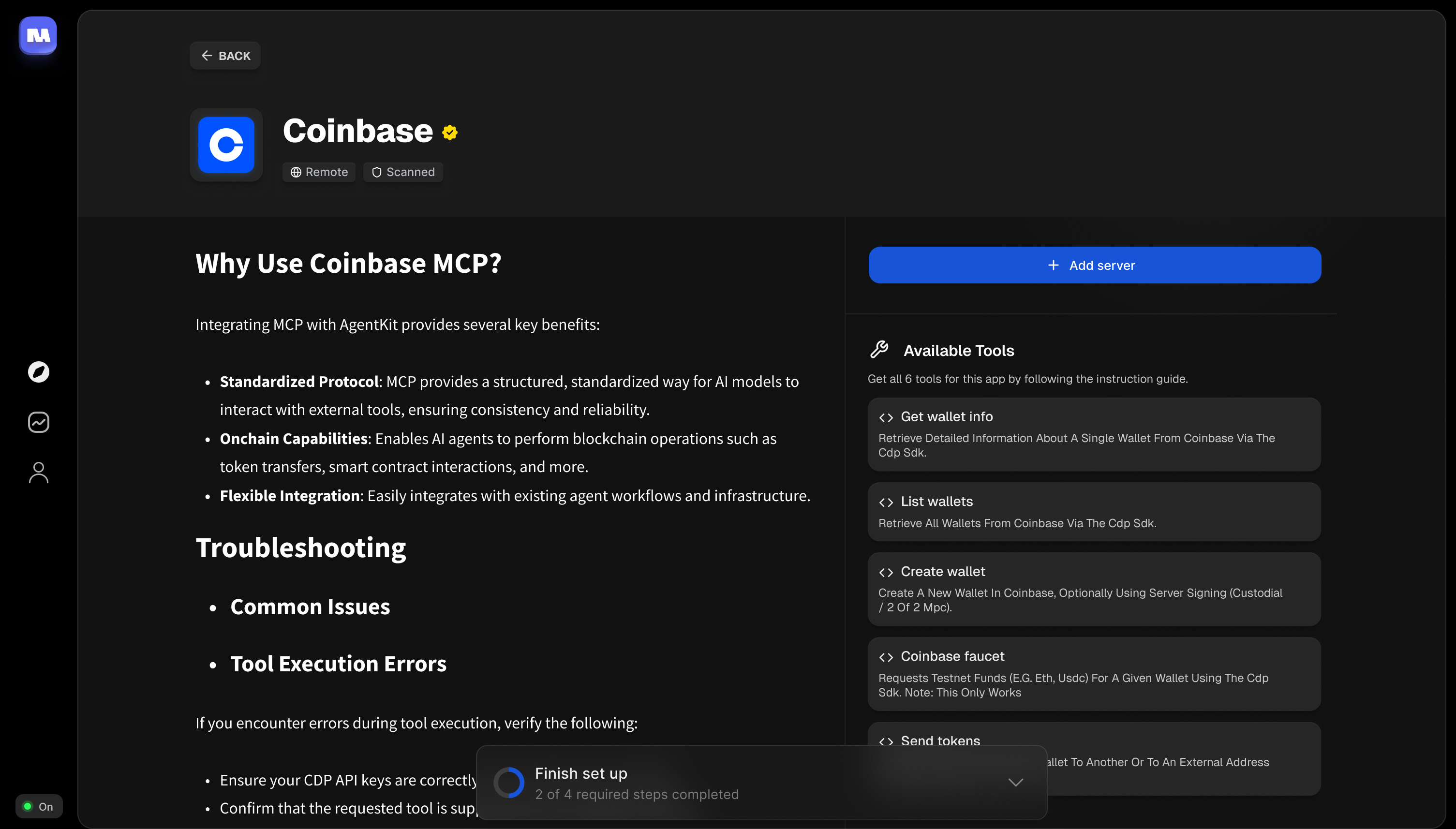
After that first setup, every MCP is a single tap of Add - no config, no docs. Each one gets a clean detail page: what it does, the tools it unlocks, and a guided install, written for people, not just developers. It reads like an app-store listing, not a README.
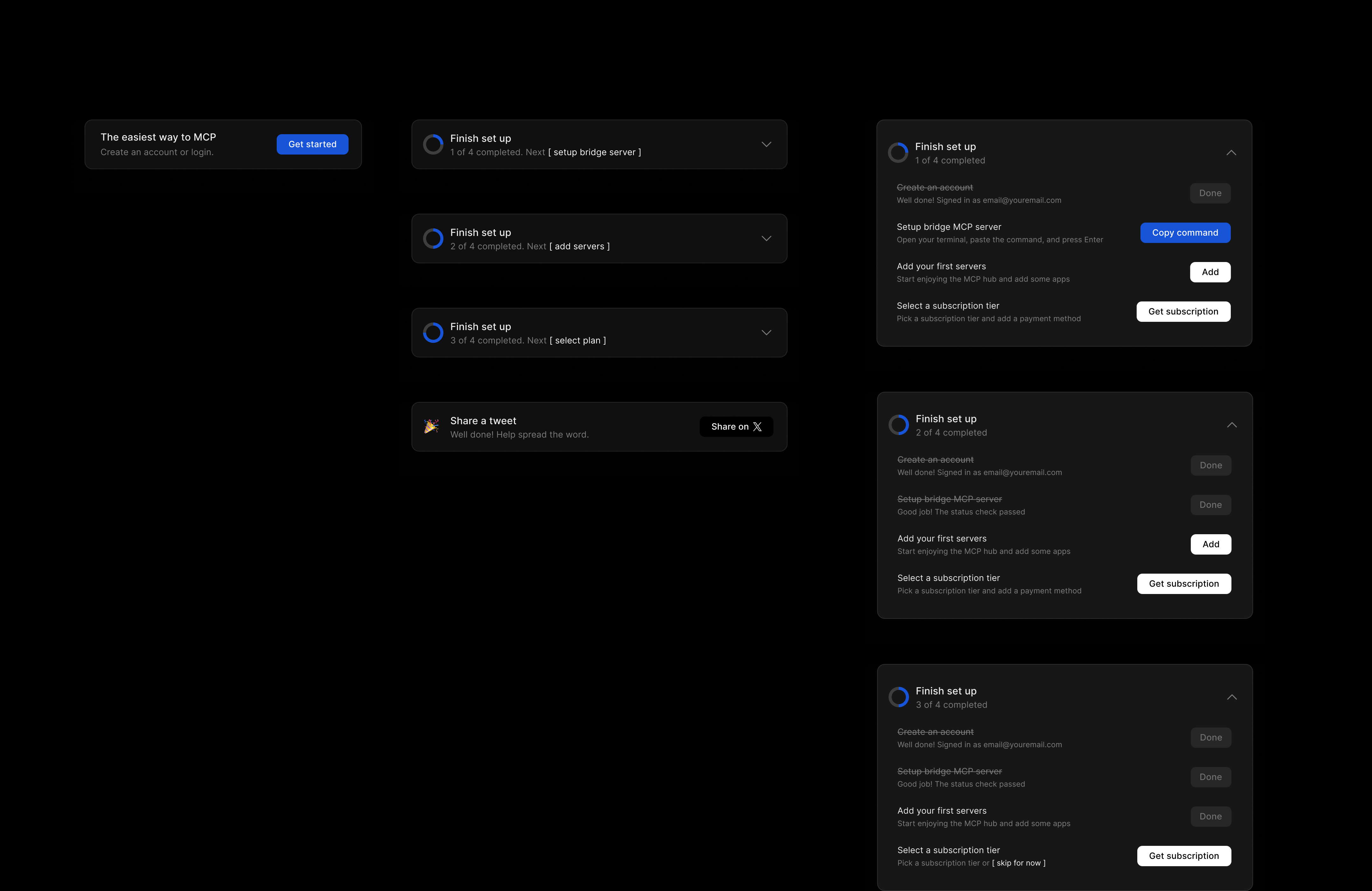
Onboarding, componentized
The guided setup runs on one persistent card that tracks progress from first paste to done. Every step - create an account, run the command, add your first server - is the same reusable component in a different state.